okbaju Withdrawal & KYC Guide
Read this page once and you can send a payout request that clears on the first try: the cashier steps, the limits that apply to your account, and the documents that pass identity verification before your first withdrawal.
18+ · Play Responsibly
What you walk away with after five minutes here
Two things send a payout back: a number that breaks a rule, or a wallet name that does not match the account. Both are easy to avoid once you know what the cashier checks. This page covers the whole path, from the tap on Withdraw to the balance showing in your bKash wallet.
Cash out is short when nothing is pending. A standard payout lands in about eleven minutes. Your very first one is slower, because identity verification has to clear first and that review takes up to six hours. Plan the first withdrawal for a quiet hour, not the last minute of a match.
By the end of this page you will have:
- A request that sits inside the ৳1,300 minimum and the ৳195,000 daily ceiling.
- A bKash, Nagad, Rocket or Upay number saved in your own name.
- A bonus balance cleared of its 6x turnover, if you claimed the welcome offer.
- A photo of your NID, passport or driving licence that passes review in one upload.
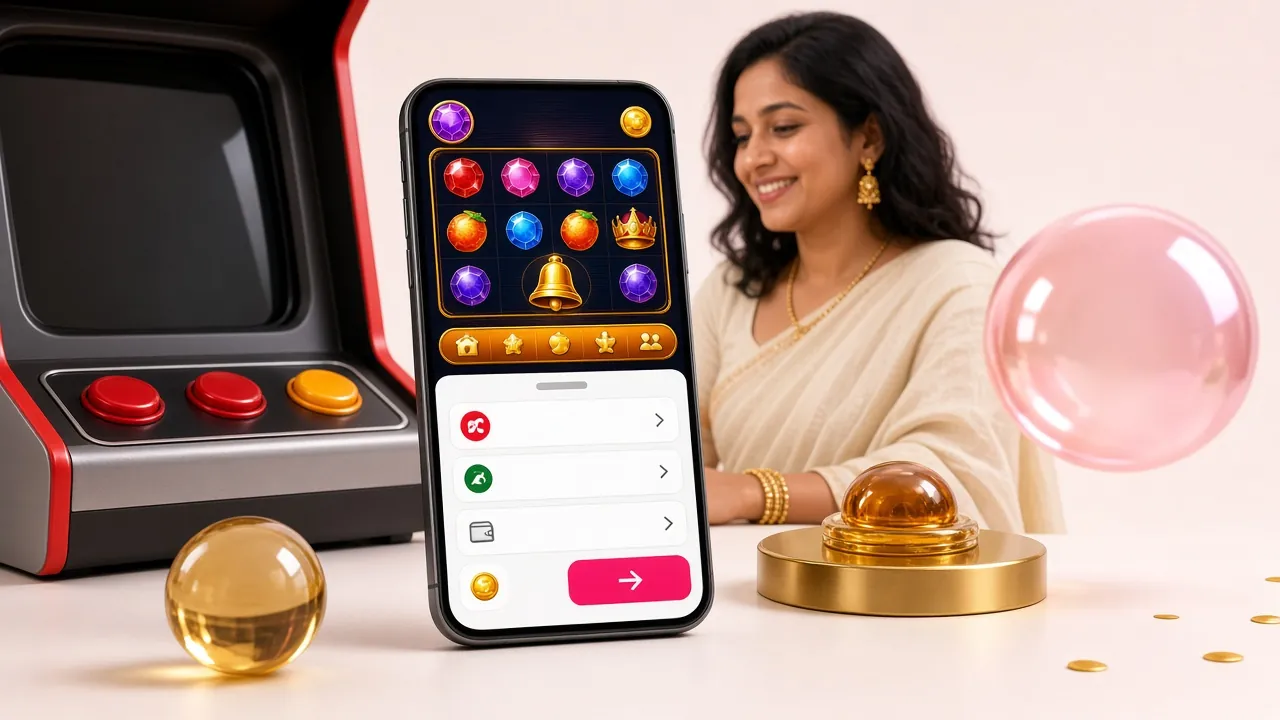
The limits that decide how much leaves your account
Every figure below comes from the cashier itself. Nothing here changes per player except the daily ceiling, which higher VIP tiers can lift. The table shows the standard account values.
| What it covers | Value | When it applies |
|---|---|---|
| Minimum withdrawal | ৳1,300 | Every request, including the first one |
| Maximum withdrawal per day | ৳195,000 | Rolling day, per account |
| Minimum deposit | ৳200 | Any of the four mobile wallets |
| Deposit landing time | 3 min | Typical, after wallet confirmation |
| Withdrawal time | 11 min | Typical, verified account |
| First withdrawal with a fresh file | up to 1 hour | While identity review finishes |
| Identity review window | 6 hours | From a complete upload |
| Turnover on bonus money | 6x | Before bonus winnings can leave |
In practice the daily ceiling is rarely what bites. ৳195,000 is well above a normal session, so the request that fails is usually smaller: below the ৳1,300 floor, or riding on a bonus that has not been turned over yet.
Keep the deposit side in mind too. You can start with ৳200, which is where most players test the cashier before trusting it with a larger amount. A deposit lands in about three minutes, so that test costs almost no time at all.
Five moves from the cashier screen to your wallet
The order matters. Skipping the first step is the most common reason a request sits untouched.
-
Finish your bonus turnover
The welcome offer runs at 140% up to ৳12,000 with 6x turnover. If that is still open, the cashier shows the amount left to play and the withdraw step stays closed until it clears.
-
Open the cashier and choose Withdraw
Log in from the app or the mobile site, open your balance and pick Withdraw. The form asks for a wallet and an amount, nothing more.
-
Use a wallet in your own name
The name on the bKash, Nagad, Rocket or Upay account has to match the name on your profile. A relative's number or an agent's number will be refused, even with the right PIN.
-
Stay inside the limits
Anything from ৳1,300 up to your remaining room on a ৳195,000 daily ceiling. Amounts ending in a round figure are easier to check against the wallet message afterwards.
-
Confirm and let it run
Standard payouts reach the wallet in about eleven minutes. A first withdrawal on a fresh verification file can take up to an hour, so allow that before you contact support.
If a request still sits at pending past that window, the cause is almost always on the list further down. Check it before you open the chat window.
Pick the wallet you already use
All four mobile wallets work in both directions. Deposit clearing is about three minutes across the board and withdrawal is about eleven. Where you can, send the payout to the same wallet you deposited from, because it leaves the simplest trail if a transfer ever needs tracing.
-
bKash
Deposit 3 min Withdrawal 11 min -
Nagad
Deposit 3 min Withdrawal 11 min -
Rocket
Deposit 3 min Withdrawal 11 min -
Upay
Deposit 3 min Withdrawal 11 min
One wallet per payout. If you keep two numbers, add both to your profile in advance, so a request made at midnight does not stall because the second number was never saved.
Why a request gets sent back, and the fix
Five cases cover almost every stuck payout. Each one has a fix you can do yourself, without waiting on a reply.
| What you see | What caused it | What to do |
|---|---|---|
| Pending for more than an hour | Verification file still in review | Wait out the six-hour window, then open live chat |
| Withdraw step stays closed | Turnover left on a bonus | Finish the 6x, then request again |
| Request cancelled at payout | Wallet registered to another person | Add a wallet in your own name and retry |
| Amount refused | Under ৳1,300 or over the daily limit | Raise to the floor, or split the sum across two days |
| Documents requested again | Cut corner, glare or blur in the photo | Re-shoot on a plain surface, full frame, no flash |
Two of these, the turnover and the daily ceiling, are visible in the cashier before you submit. A ten-second look saves an hour of waiting. The other three come down to the documents and the wallet number you send, which is what the rest of this page is about.
The check that comes before your first cash out
Identity verification opens once and stays open. You need it before your first withdrawal, not before your first deposit, so a new account can top up and play straight away. The file has to show name, photo and age, and it has to match the name already on the account.
Documents the review team accepts
- National ID card (NID) · front and back, both readable
- Passport · photo page with the machine-readable strip
- Driving licence · front and back, signature side included
Any one of the three is enough. The NID is the usual choice for players in Bangladesh because almost everyone has one to hand. A passport helps when the address on the NID is out of date or the card is worn.
Uploading from a phone
-
Open your profile, then Verification
In the app it sits under the menu and your name. On the mobile site it is the same link in the header. Both lead to one uploader.
-
Choose a document type and type the number
Enter the digits exactly as printed. One swapped digit restarts the whole review and costs you another wait.
-
Photograph the front and back
Lay the card on a plain table, fill the frame and switch the flash off. The uploader accepts a photo or a scan of the original document.
-
Submit and give it up to six hours
Review is manual. Most files clear well inside that window; the result appears on the same screen and a message arrives in the app.
This is the single reason a first payout can take up to an hour. If you plan to withdraw on the evening you register, upload the document right after your deposit and the two waits overlap instead of stacking.
Photos that pass on the first upload
One rejected file costs a full review cycle, so take the photo properly the first time. Daylight by a window beats any filter.
- All four corners of the card inside the frame · nothing cropped at the edge
- Sharp text on the number and the date of birth · no soft focus
- Even light with the flash off · no glare on the laminate, no hand shadow
- Front and back as two separate images · not both sides in one shot
- The original card, not a printout or a photo of a screen · copies are rejected
- Name and face clear and identical to your profile · spelling included
Hold the phone steady and let the camera settle on the numbers before you tap. If the card is old and the laminate is scratched, angle it slightly away from the window instead of moving closer.
Who handles your documents, and how long they stay
Only the verification team opens your file. It is used to confirm that the name, photo and date of birth belong to the account holder, and it is not shown to other players or used to market anything to you.
What is stored, why, and how to ask for a copy of it is set out in the privacy policy. Read it once if you are handing over an ID for the first time; it explains your options if you later want the account and the file closed.
Two habits keep a file safe on your side. Upload from your own phone on a private connection rather than a shared desktop at a shop. And never send document photos to anyone in chat who says they are from support, because the uploader is the only place those images are needed.
Payday, match night, or a quiet afternoon
The hour you choose changes how the wait feels, not how long it takes. Eleven minutes at ten at night, with a match on and a wallet queue building, feels far longer than the same wait at noon.
If the money matters that day, request it in the morning and give yourself the full window. If it is a small test after your first deposit, any hour works. What you should not do is start a withdrawal five minutes before you need the cash for something else, because a slow review on a first file can stretch to an hour.
Open the cashier with a verified account
Register, deposit from ৳200 in about three minutes, and upload your documents the same evening so the first payout clears without a second wait.
Verifying from a phone is quicker than from a desktop, since the camera feeds straight into the uploader. The okbaju app keeps the cashier, the verification screen and your wallet history in one place, which helps when a payout needs to be checked line by line.
Questions that come up at the cashier desk
How long does an okbaju withdrawal take?
About eleven minutes on a verified account, from confirmation to the wallet message. Your first payout after verification can take up to an hour while the review finishes.
Why is my payout still pending?
Usually one of three things: a bonus turnover that is not finished, a verification file still in the six-hour review window, or a wallet number that does not match your account name. All three are visible before you submit.
Can I withdraw to a friend's bKash number?
No. The name registered on the mobile wallet has to match the name on your profile. Add a wallet in your own name and the request goes through normally.
Do I need to verify before I deposit?
No. Deposits work from the start, with a ৳200 minimum and about three minutes to land. Verification is needed before your first withdrawal, so uploading early keeps the two waits from stacking.
What is the smallest and largest payout?
৳1,300 is the floor for a single request. The standard daily ceiling is ৳195,000, and higher VIP tiers can raise it. Anything above the ceiling has to wait for the next day.
Which document clears fastest?
All three go through the same review of up to six hours, so pick the one you can photograph cleanly. A flat, well-lit NID front and back is the easiest file for most players in Bangladesh to produce.
Still stuck after checking the list? Live chat runs around the clock and can see the exact status of a request. Have your wallet number, the amount and the time you submitted ready, and the check takes a minute instead of a conversation.